
How to join a webinar (for attendees)
Once you register for a webinar, Eventzilla provides the information you need to access the webinar. You can join directly from your webinar access link sent in the email.
Complete your registration
After successfully registering for the webinar, you will receive a confirmation email with your registration details and the email with webinar access information.
Use the join link
Click the Join Webinar link from your confirmation or reminder email.

You may also be able to access the webinar from your Eventzilla registration page.
Depending on the hosting provider, you will see different options when joining.
Eventzilla Webinar
If the webinar is hosted using Eventzilla Webinar:
- Click Join Webinar.
- You will be taken to the webinar access page.
- If the webinar has not started, a countdown may be displayed.
- Enter the registered email address and click on Continue
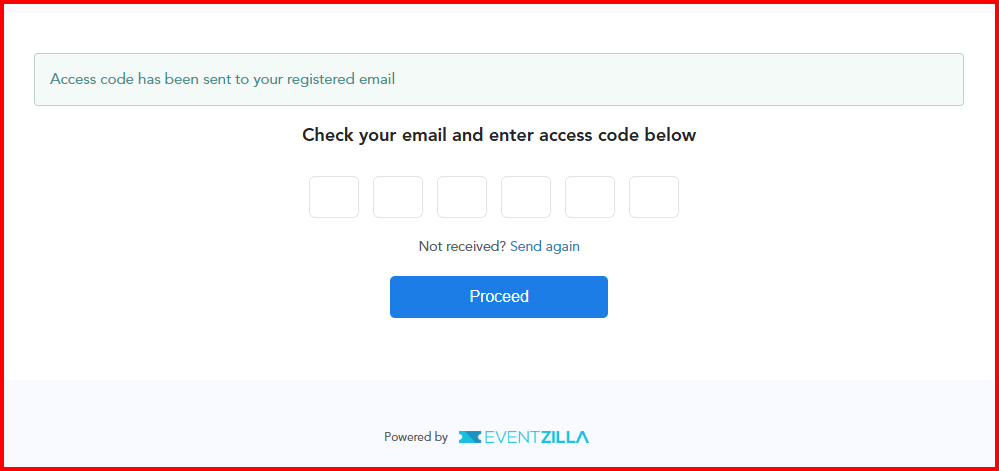
- This prompts to enter the access code sent to the registered email address
- If the host has not started the webinar yet, you may see a waiting or connecting overlay. Stay on the page until the host starts the webinar.


Zoom
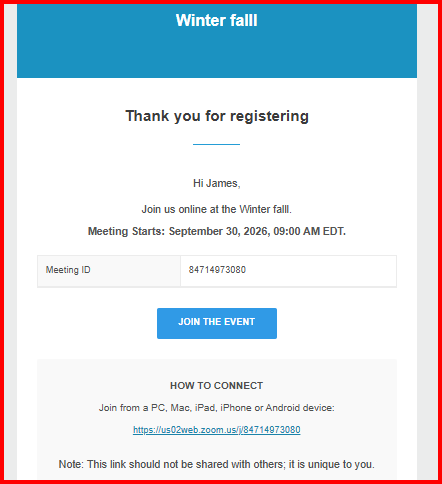
For a webinar hosted through Zoom, you will receive the email with the option "Join the Event"
Click on the link and click on Join event - Enter the registered email address and click on continue
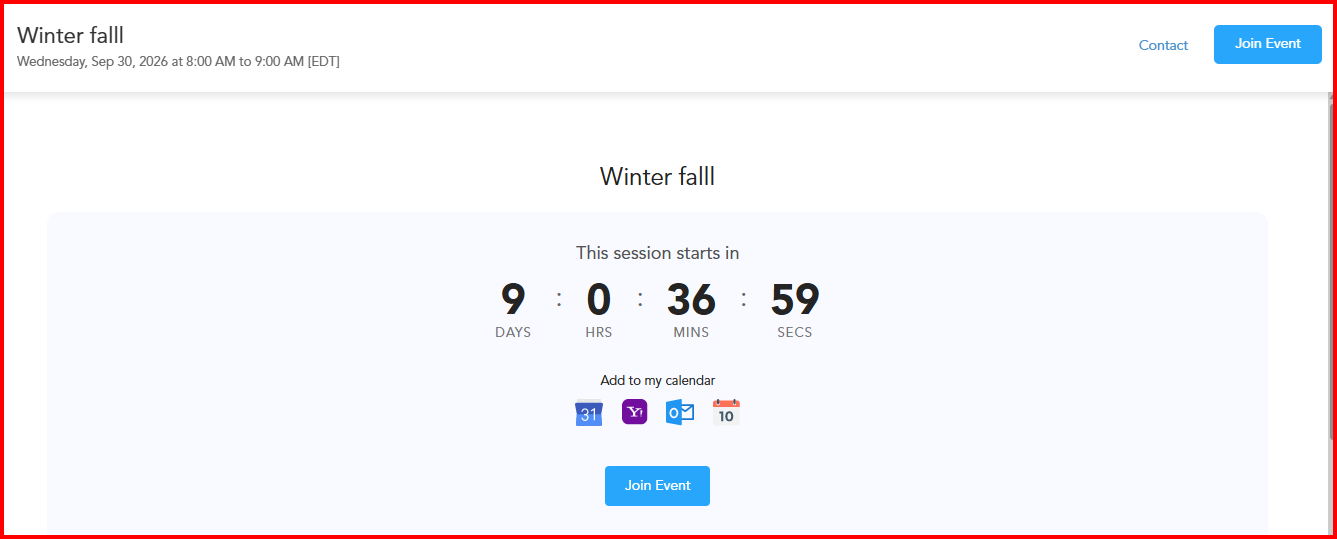
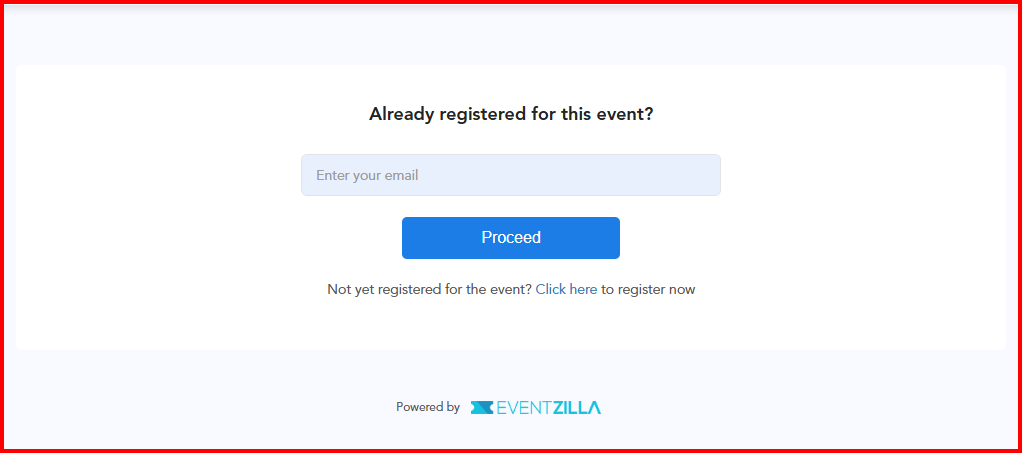
Following this the access code will be sent to the registered email address, proceed to enter the code and click on Proceed to go to the Zoom webinar
YouTube or Vimeo
For webinars hosted through YouTube or Vimeo, attendees can join using the link provided in the registration email.
- Open the email you received and click Join the Event.
- On the event page, click Join Event.
- Enter the email address you used to register and click Proceed.
- An access code will be sent to your registered email address.
- Enter the access code and click Proceed to access the webinar.
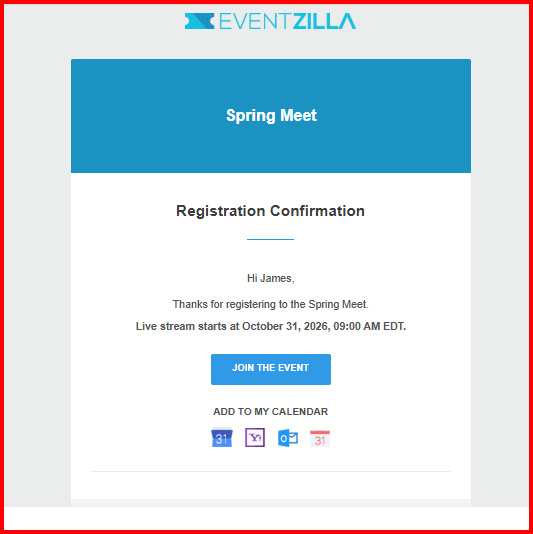
Use the countdown and Add to Calendar options
If the webinar has not started yet, the webinar page may display a countdown showing the remaining time until the webinar begins.
You can also use Add to Calendar to save the webinar details to your calendar and receive a reminder before the event.
Joining late
If the webinar is already in progress, use the same Join Webinar link .
Depending on the hosting provider and webinar status, you may be taken directly to the live webinar or watch page.
If you do not have a ticket
If registration is still open and you try to access the webinar without a registration, you may see Register Now.
Click Register Now to complete the registration and obtain access to the webinar.
If registration is closed, you may not be able to register or join the webinar.
If the webinar has ended
If the webinar has already ended, the access page may indicate that the session has ended.
Depending on the webinar configuration, a recording or replay may be available. If no replay has been enabled, you will not be able to join the live session after it has ended.
For any additional questions, please write to us at help@eventzilla.net